

4.5. Terrain filter
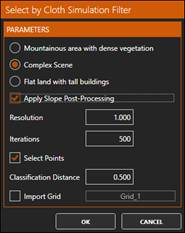
1. Now we will apply a filter to select and remove those points that do not belong to the terrain, using the Cloth Simulation Filter (CSF) algorithm, from Wuming Zhang, Jianbo Qi, Peng Wan, Hongtao Wang (School of Geography, Beijing Normal University, China). To do this, in the group GEOMETRIC SELECTION run By CSF and set the parameters as shown in the figure:
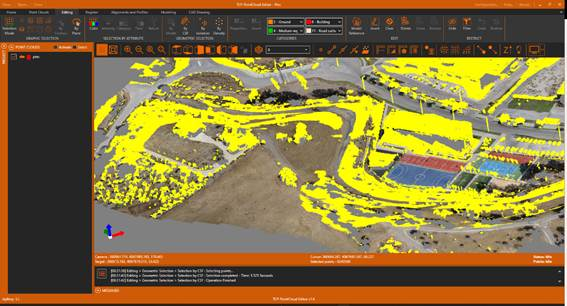
3. Observe how most of the points that do not belong to the terrain have been selected, such as those belonging to trees, cars, buildings, streetlights, etc. In other cases, it will be necessary to test with different parameters.
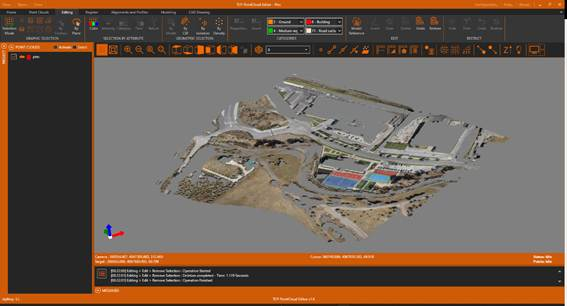
4. In the EDIT group, click Delete to delete the selected points.
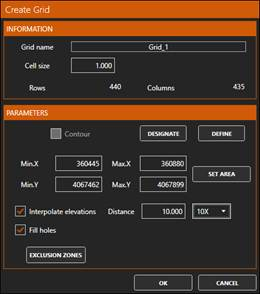
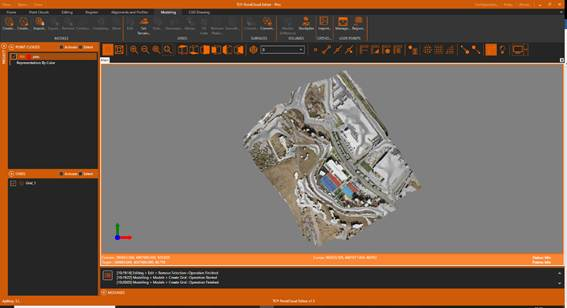
5. Activate the Modeling ribbon and within the MODELS group run Create Grid with cell size of 1 meter, the Interpolate elevations option enabled, and a factor of 10X to Fill Holes.
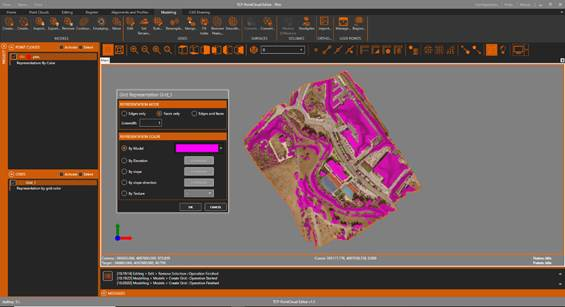
6. In the table of contents, select the layer Grid_1 and the Representation option. Turn on the By Model option and set the Magenta color.
7. Now we save the original grid for later comparison. To do this, within the MODELS group we click the Export icon and specify as the original.mde file name.