This command allows a polyline to be “pasted” on some contour lines, thus creating intermediate vertices with a height equal to that of the surface at these coordinates.
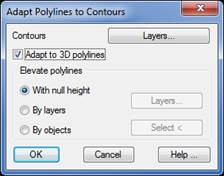
It is first necessary to specify which layers define the contours (normally CMinor and CMajor) by clicking on the Layers button. One must then decide which polylines have to be adapted:
· Null height: All polylines assigned a height of zero.
· By layers: Allows one to specify the layers whose polylines will be adapted.
· By objects: Allows one to use the standard object designation mode in AutoCAD to elevate them. This method should be used to elevate one or various polylines selected manually.
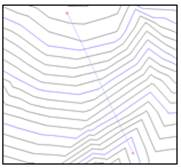
The vertices of a polyline before applying the command:
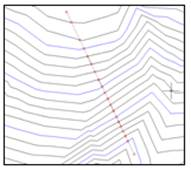
The vertices of a polyline after applying the command:

 TcpMDT