

23.8. Export GIS |
This command will allow us to export a drawing to ESRI shapefile formats (*. SHP), Geographic Markup Language of the Open Geospatial Consortium (*. GML) or (*. GEOJSON). Initially, it will ask us for the file in which the information is going to be stored and then the next window will appear where all the information to be imported will be managed.
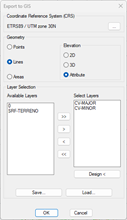
Geometry: In this section we indicate how we want to import the selected entities. We could export them as Points, Lines or Areas.
Additionally, we have several alternatives to export in 2D or 3D:
· 2D: Files are exported ignoring the dimension.
· 3D: The files are exported with 3D geometry, so that each vertex can have a different dimension.
· Attribute: An ELEVATION field is created in the associated attribute file, filling in the value of the dimension of each entity, as long as it is constant. Otherwise, it will be filled in with a value of 0.
Layer Selection: We indicate the layers in which the entities we want to export are located. We have the possibility to move the selected layer or layers to the right or designate it graphically.
Save: By pressing this button, we will save the selected layer settings in a file.
Load: By pressing this button, we will be able to recover the settings of selected layers.
At the end of the process, the number of exported entities is indicated. If no objects of that geometry type are found on the selected layers, an error message is displayed and the process must be repeated with the correct data.
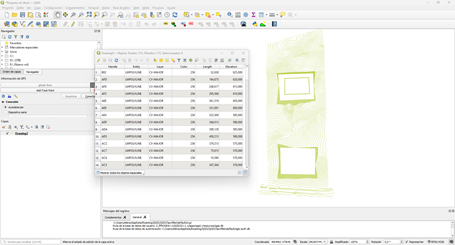
The resulting files can be opened by GIS applications such as ArcGIS, QGIS, or gvSIG.
|
|