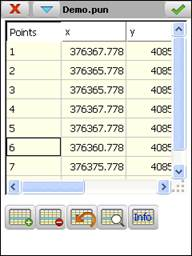
Allows one to view and modify the current file’s records.
The records have the following fields:
Name
Type
Length
No. of Decimals
Remarks
N
Alphanumeric
14
-
Point number
X
Numeric
11
3
Y
Numeric
11
3
Z
Numeric
8
3
Code
Alphanumeric
14
-
The button displays information about the raw data acquired from the GNSS receiver as regards the current point.
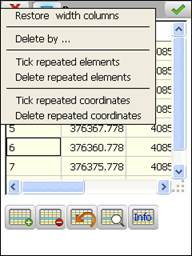
In addition to the options presented by buttons, others are provided via the title bar menu of this window:
The option Delete by …, shows a new dialog where the points can be selected which it is wished to delete. The selection can be made by indicating a range of numbers (Selection by Numbers) or by entering a code (Selection by Codes).
The other options allow the default width of the columns to be restored and to localise and eliminate points which have the same number or coordinates.



 button displays information about the raw data acquired from the GNSS receiver as regards the current point.