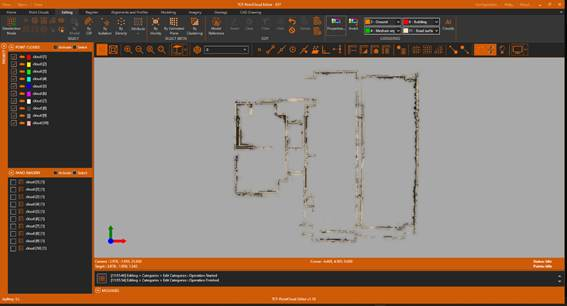

3.12. AI Classification with Indoor Model
1. Next, we proceed to perform an automatic classification based on Artificial Intelligence, using a previously trained model for interior scenes. Within the Edit ribbon, in the CATEGORIES group, run AI Classify. Under Device, select GPU if the graphics card meets the requirements for classification, or CPU if it doesn't. Select the Indoor model. Uncheck the Keep existing classification box.
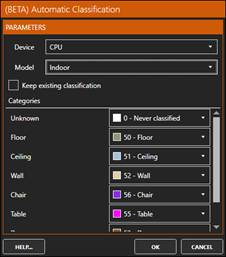
2. Press OK to start the process and switch to the representation of the points by categories.
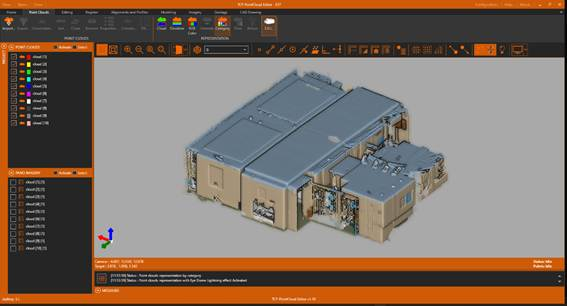
3. Click the Properties button within the CATEGORIES group. On the User Categories tab, hide categories 50-Floor and 51-Ceiling. Modify the colors of the different categories if desired.
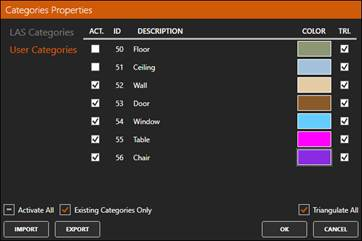
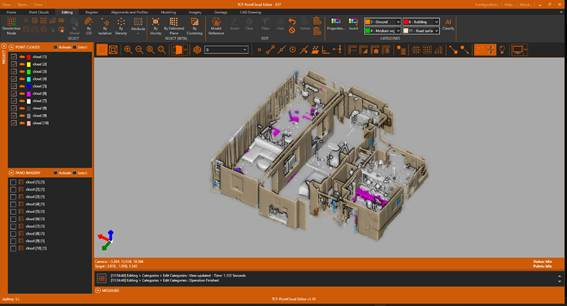
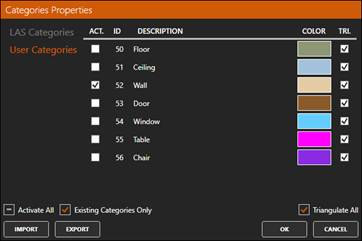
4. Click the Properties tool again. In the LAS Categories tab, disable the Never classified category. On the User Categories tab, hide all categories except 52-Wall.
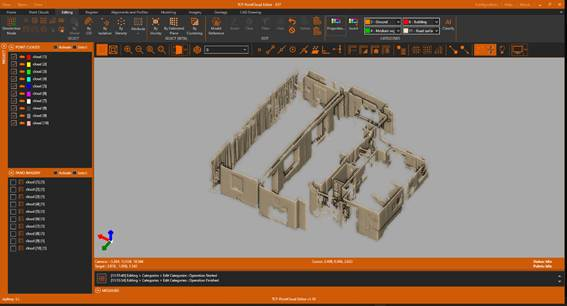
5. Set Top View and check that only the points belonging to the walls are visible.