19.18.6. Export of alignments created in Infraworks
This section will illustrate how to import the axis of a road created in InfraWorks to MDT. We will start with an Infraworks project consisting of a terrain with orthophotos and several roads.
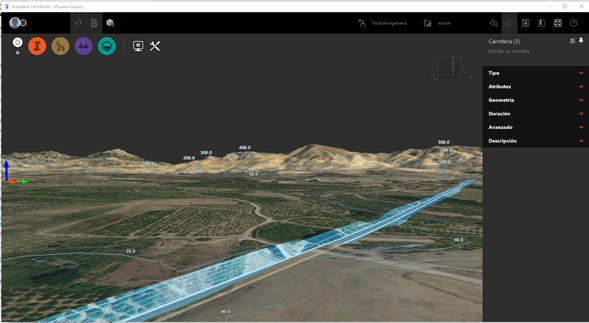
Road created in Infraworks
When creating a Project in Infraworks, a model file is created with the name of the project and the *.sqlite extension. Furthermore, it can be exported from the application by clicking on the Settings and utilities button, which provides a list of options, including export to *.imx.
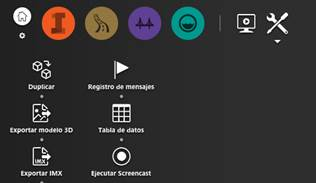
Infraworks export options
The formats MDT is capable of importing are *.sqlite and *.imx. To do this, we execute the MDT > Axes > Utilities > Convert Axes command, which provides a list with the possible source and destination formats. We select Infraworks as the source and click on the Convert to MDT button in the file explorer, which will enable us to select files with a *.sqlite or *.imx extension. Once the file has been imported, the axes will be drawn as illustrated in the following image.
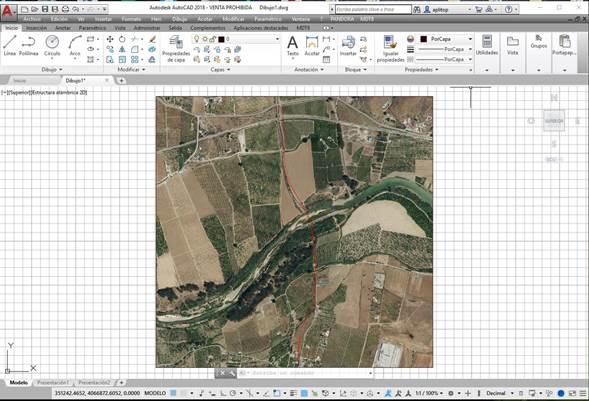
Road created in Infraworks and imported to MDT
|
|