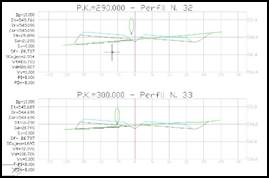
This tool allows one to represent a section of a 3D polyline on the cross-sections. It is used a lot in jobs containing pipelines, power lines, etc. when one wishes to show the position of the piping on the cross-section.
To do this it will request the following parameters:
3D Polylines: Select the 3D polylines that we wish to Project, which will be within the band width of the cross-section profiles. If they are not, they are not represented in cuts in which the distance to the alignment is greater than the cross-section width.
Alignment: Alignment on which the polyline will be projected.
Profile Matrix: Select any of the horizontal alignments of any of the profile matrix cuts in which we want to Project the polylines.
Last, the Drawing Blocks window appears for selecting the block to be used to represent the section.
The command is accessed from the Elevation view folder in the blocks folder in the configuration. For this, if we wish to draw a specific block, it is enough to include it in this folder and it will appear automatically when the command is executed.

 TcpMDT