

20.1. Insert Images |
This command lets you insert one or more georeferenced images into its coordinates in different formats, depending on the CAD and version used:
|
CAD
|
Image Format
| ||||
|
JPEG
|
JPEG2000
|
TIFF
|
COG
|
ECW
| |
|
AutoCAD®
|
n
|
(1)
|
n
|
(3)
|
(1)
|
|
BricsCAD®
|
n
|
n
|
n
|
n
|
n
|
|
GstarCAD®
|
n
|
|
n
|
n
|
|
|
progeCAD®
|
n
|
n
|
n
|
n
|
n
|
|
ZWCAD®
|
n
|
(2)
|
n
|
n
|
(2)
|
(1) To be able to view ECW and JPEG2000 images in AutoCAD for versions older than 2012, you will need to install the AutoCAD Raster Design plug-in, which you can get via the following link: https://knowledge.autodesk.com/support/autocad/downloads
(2) Supported from ZWCAD+ 2012
(3) COG (Cloud Optimized GeoTIFF) format: it is composed of the metadata of the entire full-resolution image, followed by the general metadata, and finally by the image itself. This structure facilitates its management from http servers from the request from a GIS client. AutoCAD does not support this type of images (tested until AutoCAD 2025), but MDT performs a conversion to TIF to be able to draw them in the CAD.
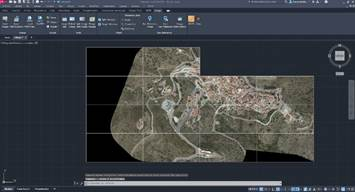
Once the command has been executed, it asks us for the images to be inserted. Then the program will search in the same folder and with the name of the respective images its georeference files where it will locate the insertion coordinates of the drawing and its scales, automatically inserting the images at said coordinates.
In the event that there is no georeferenced file, the program will request in the command line the coordinates in which it is wished to introduce the image and the drawing scale, inserting the image in the position indicated.
|
|